Loyalty Software
Loyalty programme software
Choose loyalty programme software by checking reward rules, channel integrations, member records, exports and a connected vendor demonstration.
Choose loyalty programme software by checking whether it can deliver your promised rules across the channels you use.
Start with one member journey, then ask each shortlisted vendor to demonstrate the balances, rewards, integrations and records needed to support it.
Write the operating brief
Describe how a member joins, buys online or in store, earns points, redeems a reward and returns part of an order. Set out eligible spend, discounts, tax treatment, exclusions and when points become available.
Identify which system supplies the customer ID, order status and refund record at each step.
Separate launch requirements from features you may add later. Include what members see and what staff can inspect when a balance is disputed.
Record whether any earn is subject to an approval period, so vendors can show how that timing is communicated.
Top 5 Australian Best Practices for Loyalty Programme Design
- Clear Enrolment RulesRequire sign-up before earning points; guests cannot accumulate rewards
- Transparent Reward TermsDisplay conditions clearly in member portal and checkout flow
- Consistent Point State VisibilityDistinguish pending, approved and spent points in all interfaces
- Channel-Specific ExclusionsApply different rules for online vs in-store (e.g., gift card exclusions)
- Compliance with ACCC Advertising StandardsAvoid misleading claims about reward values or likelihood of redemption
Check the channel roadmap
List the channels required at launch and those planned for later stages. The software brief should distinguish the two, so vendors can identify which capabilities need to be ready immediately and which can wait.
If the programme will be mobile-focused, decide whether members need a dedicated loyalty app or another way to access their membership. Ask vendors to explain what members use to manage points and rewards, and whether that experience depends on a separate app.
Confirm rule controls
Check whether the platform can represent the limits and eligibility conditions in your operating brief. LoyaltyLion says most activity rules can be capped per day, week, month, year or lifetime, and that a customer who reaches a cap earns no more until it resets. Ask how the platform makes such a limit visible to staff investigating a missing earn.
Confirm how the software distinguishes an enrolled member from a guest. In LoyaltyLion, a guest who has not joined does not receive activity points until creating an account and enrolling. This makes enrolment status a useful demonstration criterion where staff take sign-ups in store or members query an absent earn.
Compare the promised reward
Check the exact earning rule and reward type, its basket restrictions, eligible sales channels and required plan. Ask what happens when a reward is claimed but unused or an order is refunded. A feature offered online may have different limits at the till.
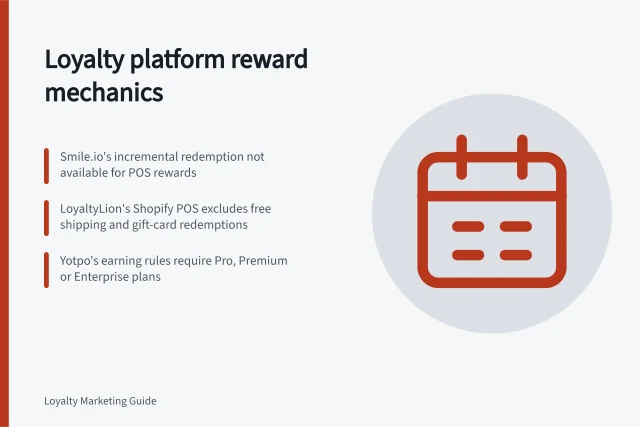
For example, LoyaltyLion's Shopify POS guide lists supported rewards alongside exclusions for gift-card redemption, free shipping and specified subscription rewards. Check the configuration proposed for your stores.
Verify platform and plan fit
Check product and plan eligibility before comparing feature lists. LoyaltyLion states that its Shopify POS integration is available on Shopify on the Classic plan and above. Yotpo's documentation lists Shopify and Shopify Plus as supported e-commerce platforms, with Free, Pro, Premium and Enterprise plans; confirm the proposed plan and platform match your retailer's actual setup.
For any POS reward, verify that the reward is enabled for that sales channel and available in the customer's country. LoyaltyLion's documentation also says minimum spend is enforced in store and collection restrictions apply there as they do online.
Prove the connected journey
Confirm that required online and in-store order flows are supported; leave detailed POS integration testing to the supporting article.
Assess the staff workspace
For Shopify retailers, check which loyalty tasks staff can access inside Shopify POS and which require a separate workflow. LoyaltyLion documents POS tools for viewing a customer's points and membership details, applying rewards, finding programme members, scanning a loyalty-pass QR code, awarding points for activities and showing points earned after checkout.
The documented integration adds six apps to Shopify POS, and stores can add the apps they need. Ask the vendor to map the staff tasks in your brief to the relevant interface, including whether member search across the programme or loyalty-pass scanning is needed.
Check cost, control and exit
Request a written quote for the proposed plan, locations, order volume, support and implementation work. Review the available member and transaction exports before signing. A current-balance file may help with day-to-day reporting but may not explain past adjustments or support a move to another platform.
For an Australian programme, review member-facing terms alongside the settings.
Check how points are represented
Ask vendors to define the point states shown to members and staff, and confirm that the same labels appear in customer records and exports. LoyaltyLion distinguishes approved points, which are available to spend, from pending points, which cannot yet be spent; its points total combines those two states, while lifetime points also include points already spent.
Check that staff can tell which figure they are viewing when answering a member's query, rather than treating every displayed total as immediately redeemable.
Decide from evidence
Use the same brief for each vendor. Mark each essential requirement as demonstrated, requiring configuration, requiring development or unresolved. Resolve any essential requirement marked unresolved before approving a vendor.
In this guide
- Comparing loyalty platforms by reward mechanicsCompare Smile.io, LoyaltyLion and Yotpo on points, redemption choices, POS rewards and plan limits.
- Testing points reconciliation in a software demoUse a purchase, repeated event, redemption, refund and correction to test whether a loyalty software demo explains every points change.
- Checking POS and ecommerce integration supportCheck loyalty integration by mapping member IDs, order events, reward availability, refunds and support ownership across POS and ecommerce.
- Reviewing member data export before selecting a platformCheck loyalty member exports for IDs, balances, transaction history, tier data and migration gaps before selecting a platform.